Professionals and companies in design and educational technology face ongoing difficulties integrating 3D modeling into early learning frameworks effectively. These challenges often include limited access to child-friendly software, lack of structured guidance for young learners, and insufficient resources that align with developmental stages. Engaging children with 3D modeling requires addressing these obstacles thoughtfully. Educational programs offering creative STEAM resources demonstrate how structured support can help bridge existing gaps.
For children, acquiring 3D modeling skills involves much more than navigating software interfaces. It develops spatial awareness, problem-solving abilities, and digital literacy, all important in today’s learning landscape. Clear and practical teaching approaches that break down complex concepts into manageable steps are essential to foster both confidence and skill. As Gökçe Saygın, I see architecture education as a key way to introduce design thinking that supports children’s broader cognitive growth in digital environments.
Key Points Worth Understanding
- 3D modeling introduces children to digital creativity with real-world applications.
- Open-access online tools make learning 3D modeling more approachable and affordable.
- Understanding common barriers helps design better instructions and supports for kids.
- Step-by-step learning sequences enhance retention and engagement in young users.
- Guided practice encourages collaboration and critical thinking alongside technical skills.
What challenges hinder early 3D modeling education for children?
One major challenge is that many 3D modeling programs are developed with adult professionals in mind, creating a steep learning curve for children. Complex interfaces and jargon-heavy terminology discourage young learners when first introduced without adequate scaffolding. Additionally, professionals and educators often struggle with finding resources tailored to children’s developmental stages. The lack of clear guidance can leave parents and teachers unsure about how to support kids discovering 3D design.
Why software complexity confuses young users
Most widely used 3D modeling platforms include features designed for advanced projects but are not optimized for novices. Interface clutter, numerous menus, and technical language can overwhelm children who are still developing essential digital skills. For example, a child encountering extrude, bevel, or mesh terminology without context may feel discouraged and frustrated. Approaches simplifying tools and terminology help maintain interest and provide gentle entry points for beginners.
In classroom or home settings, choosing less complex programs or those specifically created for children addresses this barrier. Online platforms focusing on visual drag-and-drop experiences or simplified object manipulation improve accessibility. This reduces the intimidation factor and empowers children to experiment and learn through trial and error.
Limited access to appropriate teaching materials
Another persistent problem is the scarcity of age-appropriate curricula that introduce 3D modeling fundamentals in a clear, coherent sequence. Many existing materials assume prior knowledge or advance too quickly into complex tasks. Consequently, parents and educators can find it difficult to identify lessons that match children’s unique pace and interests. The materials often also lack connections to tangible design concepts relevant to young learners.
Effective educational content should integrate basic geometry, visualization, and spatial reasoning aligned with 3D software skills. Hands-on project-based lessons that build progressively support steady confidence gains. For instance, starting with simple shape construction and gradually moving to assembling models promotes mastery without overload. Instructional resources linking digital skills to real-world objects foster deeper understanding.
Challenges from lack of instructor familiarity
Many educators and parents interested in supporting 3D modeling learning do not have formal training in digital design tools themselves. This knowledge gap can reduce the quality of guidance they provide and negatively affect children’s learning experiences. Without professional development or training, adults may feel unable to troubleshoot software issues or scaffold children’s challenges productively. Anxiety about using new technology may further limit classroom integration.
Providing accessible instructor coaching and easy-to-follow teaching guides mitigates this issue. Opportunities for educators to build confidence with 3D modeling align with broader educational goals like digital literacy and creativity. Collaborative teacher communities sharing practical classroom strategies also contribute to improving teaching quality in this topic.
Why do these challenges continue despite growing interest?
The digital design field moves quickly, but educational methods and resources for young learners often lag behind technological advances. Commercial software companies prioritize adult users, while education systems may lack standardized frameworks for 3D modeling instruction. This gap creates an environment where teaching approaches remain inconsistent, and children may experience uneven learning quality. Access to technology itself, including hardware and internet connectivity, presents additional hurdles.
Industry focus versus educational needs
Many leading 3D modeling platforms evolve with demands of professionals in architecture, engineering, and entertainment, focusing on advanced functionality. On the other hand, educational content providers may not receive sufficient support or funding to develop child-centered alternatives integrated into school curricula. This disconnect means the available tools frequently do not match pedagogical priorities for foundational digital skills development. Bridging this gap requires coordination between industry specialists and educators.
Meanwhile, children interested in 3D modeling might only meet tools once they reach secondary education levels—well past early learning stages when foundational skills solidify. Introducing appropriate resources early on maximizes opportunities to nurture creativity and technical confidence simultaneously.
Variability in educational context and resources
Access to technology and instructional support varies widely across regions and schools, affecting how consistently children receive exposure to 3D modeling basics. Socioeconomic disparities and differences in institutional priorities contribute to uneven implementation. In some locations, infrastructure constraints limit availability of devices capable of running modeling programs or reliable internet connections necessary for cloud-based tools. Traditional curricular demands may also leave little time for specialized digital design modules.
Addressing these persistent inequalities requires solutions adaptable to local conditions, such as leveraging free or low-cost software usable on standard hardware. Balancing screen time with offline activities linked to design thinking can also fit diverse contexts. Flexible teaching models allow educators to gradually build capacity around digital competencies.
The learning curve for instructors and families
For many parents and teachers, unfamiliarity with 3D modeling tools generates hesitation to introduce these skills early. Without concrete examples or practical training, adults might default to more familiar subjects, reducing opportunities for children’s exposure to spatial design and digital creativity. This situation creates a cycle where children have fewer chances to develop competencies that become essential later.
Professional development focused on equipping educators and parents to coach children through initial 3D modeling experiences can break this cycle. Supporting adults builds confidence and shifts attitudes about technology use from intimidating to inviting. When families receive clear guidance on how to use online tools effectively, children benefit from consistent reinforcement at home and school.

What practical steps can improve teaching 3D modeling basics to children?
The foundation of effective 3D modeling education lies in selecting appropriate online tools paired with guided, step-wise instruction tailored to children’s developmental stages. Designing lessons that start with basic shapes and progress to assembling simple models fosters gradual skill acquisition. Combining digital tasks with hands-on activities reinforces understanding of spatial concepts and design principles. Encouraging exploration and problem-solving enhances engagement and critical thinking.
Choosing user-friendly online tools
Various platforms offer simplified interfaces specifically intended for younger users. Tools with drag-and-drop features, template libraries, and minimal technical jargon help children focus on the creative process rather than getting lost in software complexity. Popular examples include browser-based modeling environments that require no installation and support collaborative work. Evaluating tools based on ease of use, accessibility, and alignment with learning goals ensures selection is purposeful.
Including open-source or free programs lowers barriers, particularly for under-resourced settings. Some platforms integrate tutorials and community forums that extend learning beyond structured lessons. These elements motivate children to practice independently while receiving peer support. Clear progression paths built into the software reinforce achievement continually.
Implementing scaffolded instruction
Effective teaching begins with breaking concepts into manageable chunks and providing specific, achievable goals. For example, early assignments might focus on creating cubes, cylinders, and spheres, ensuring familiarity with shape manipulation before attempting more complex constructions. Subsequent activities can introduce combining shapes into composite objects, basic texturing, or simple animation. Practice relating software functions to physical models aids comprehension.
Teachers or parents should model tasks clearly, demonstrating step-by-step processes and encouraging questions. Providing examples relevant to children’s experiences—such as designing a toy house or favorite animal—makes lessons relatable. Regular feedback and opportunities for revision solidify learning. This scaffolded approach prevents frustration that occurs when jumping into advanced tasks prematurely.
Incorporating collaborative and hands-on learning
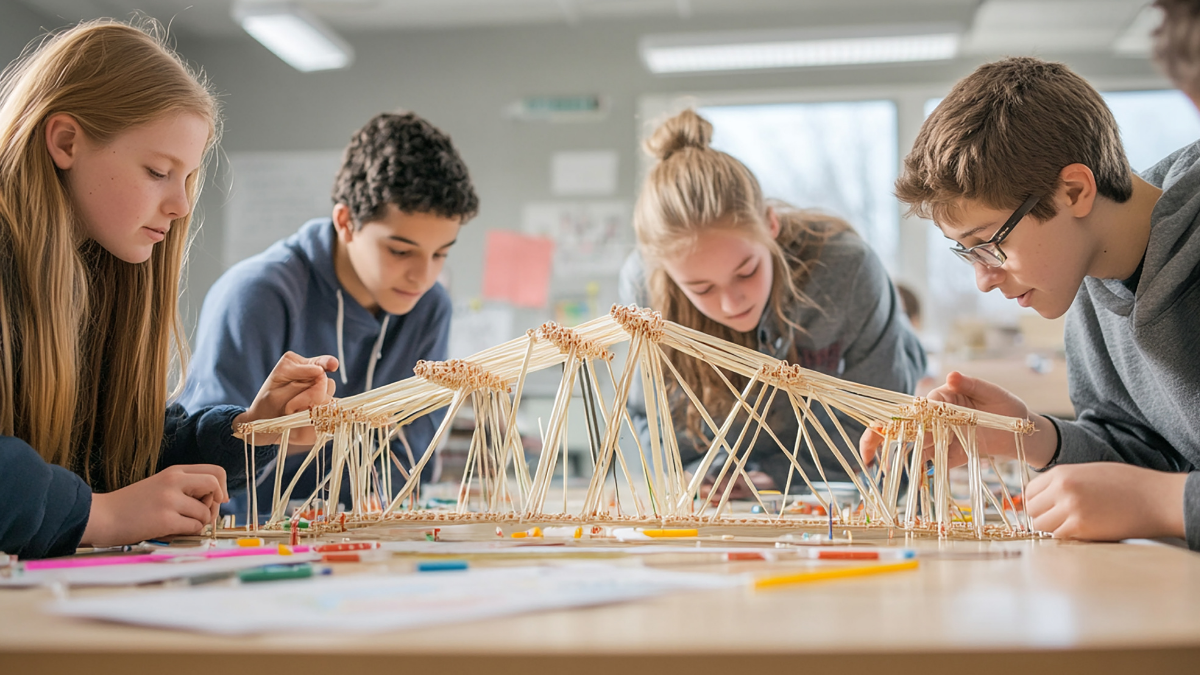
Research shows children benefit from social interaction and physical activity during digital learning. Group projects where children design and critique 3D models together develop communication and teamwork skills alongside technical abilities. Complementing screen-based work with tangible model-building activities using cardboard or clay links abstract digital concepts to real-world materials. This combination deepens understanding and maintains engagement.
For example, after modeling a simple bridge digitally, children could create a small-scale physical version and test its stability. Such projects teach iterative design, encourage critical evaluation, and demonstrate practical applications. Facilitators can guide reflection on differences between virtual and physical models, reinforcing learning outcomes. This holistic method creates a richer educational experience.
Which realistic actions can parents and educators take today?
Starting with familiar technology and accessible resources helps reduce apprehension about teaching 3D modeling. Parents can explore child-friendly platforms alongside their children, providing encouragement and basic troubleshooting assistance. Schools might pilot afterschool clubs or integrate short units into existing subjects to build foundational skills gradually. Seeking out online tutorials or community groups expands support networks for both adults and children.
Engaging with existing online platforms
Websites offering free 3D modeling tools geared toward beginners represent immediate resources for families and educators. Spending time experimenting jointly with a child makes digital design less daunting and fosters shared learning. Many platforms include beginner lessons, video guides, and interactive exercises simplifying first encounters. Encouraging curiosity rather than perfection reinforces sustained interest.
This exploration need not be lengthy or formal; even short, regular sessions build familiarity. Parents observing children’s digital interactions can identify points of difficulty and adjust scaffolding accordingly. In classrooms, educators might assess student readiness and adapt pacing for diverse abilities.
Developing simple project plans
Creating step-by-step lesson outlines with clear objectives guides both novice educators and learners. Parents can focus on projects relevant to children’s daily lives, such as designing their bedroom layout or a pet house digitally. Setting small, achievable goals prevents overwhelm and shows measurable progress. Structured project plans assist in maintaining focus and organizing materials effectively.
Using printable worksheets or digital checklists supports organization. Parents and teachers can share these materials among peers to improve collective practice. Integrating simple reflection prompts promotes metacognition by encouraging children to think about how they solved design challenges. This practice supports transfer of knowledge to new contexts.
Connecting with local and online learning communities
Joining networks of families, educators, or professionals interested in 3D modeling can provide valuable advice, resources, and encouragement. Local makerspaces, libraries, or community centers sometimes offer introductory workshops or clubs. Online forums and social media groups allow sharing experiences, troubleshooting, and celebrating children’s work. In these spaces, adults gain confidence and children find peers with similar interests.
By participating in learning communities, parents and educators encounter up-to-date information about emerging tools and teaching techniques. Collaborative relationships help sustain momentum in adopting new educational approaches. Encouraging children to share projects publicly fosters accountability and pride in their efforts.
How can expert guidance enhance children’s 3D modeling education?
Professional instructors experienced in teaching children digital design bring structure, tailored pedagogy, and encouragement that families and schools may lack. These experts understand how to sequence activities appropriately and diagnose common stumbling blocks. They can introduce best practices for integrating online tools with hands-on activities while maintaining developmental focus. Expert-led programs often provide resources that support ongoing learning beyond sessions.
Structured curriculum and pacing
Certified educators develop curricula that consider cognitive, motor, and emotional aspects of learning 3D modeling. They plan lessons that balance challenge and skill-building, ensuring sustained engagement without burnout. This structure benefits both children and facilitators unfamiliar with 3D software. Instructors adjust pacing based on real-time observations, adapting to group or individual needs effectively.
Furthermore, experts incorporate assessment strategies to monitor progress and provide targeted feedback. Assessment informs adjustments and celebrates milestones, reinforcing motivation. For families, access to such guidance means calmer, more focused learning periods and higher likelihood of achieving learning goals.
Integration of creativity and technical skills
Professionals emphasize creativity alongside technical proficiency, helping children see modeling not just as software use but as a means of expression and problem solving. They encourage students to generate original ideas, experiment with form, and consider function in their designs. This integrated approach nurtures critical thinking and innovation. It differs from purely procedural instruction that may limit engagement.
For example, an instructor might challenge children to design a unique piece of furniture digitally and discuss how it fits a user’s needs. This stimulates both imagination and technical application. Encouragement to iterate on designs teaches resilience and flexible thinking, valuable beyond digital modeling.
Access to supportive learning environments
Professional settings often provide access to optimized technology, expert help desks, and collaborative atmospheres where children feel safe to explore and make mistakes. These environments reduce technical frustrations common with trial-and-error at home or in under-resourced classrooms. Facilitated group sessions also foster social learning, enabling children to share insights and solve challenges collectively.
Such environments model productive teamwork and communication skills valuable in academic and professional futures. The presence of a knowledgeable guide reassures children and adults, making learning more efficient and enjoyable. Programs offering structured experiences represent important options for families seeking consistent opportunities in 3D modeling education.
Parents and educators interested in enhancing their 3D modeling teaching can explore comprehensive learning offerings and instructional support provided by programs designed specifically for children’s creative and technical skill-building. These resources address many of the challenges outlined and link active digital engagement with broader educational goals. For those seeking personalized advice or further information, the contact page provides direct access to expert consultation.
Frequently Asked Questions
What types of 3D modeling software are best for beginners?
Programs with simplified interfaces, drag-and-drop capabilities, and tutorials aimed at children work best for beginners. Browser-based platforms or free applications designed for educational use also provide accessible starting points.
How can I support my child if I am not familiar with 3D modeling?
Explore tools alongside your child, utilize available tutorials, and encourage experimentation without pressure. Seeking community resources or professional workshops can also build confidence to assist effectively.
How long does it usually take for children to learn basic 3D modeling skills?
Learning time varies depending on individual interest, instructional approach, and practice consistency. With gradual support and scaffolded lessons, children can develop foundational skills within a few weeks to months of regular engagement.
Are there offline activities to complement 3D modeling lessons?
Yes, hands-on activities like building physical models from paper, cardboard, or clay help reinforce spatial concepts and design principles learned digitally. Combining digital and tactile experiences enriches understanding.
Can schools include 3D modeling as part of their curriculum?
Many schools integrate 3D modeling into STEM or creative arts classes using age-appropriate software and project-based lessons. Professional development helps educators implement effective instruction aligned with student development.